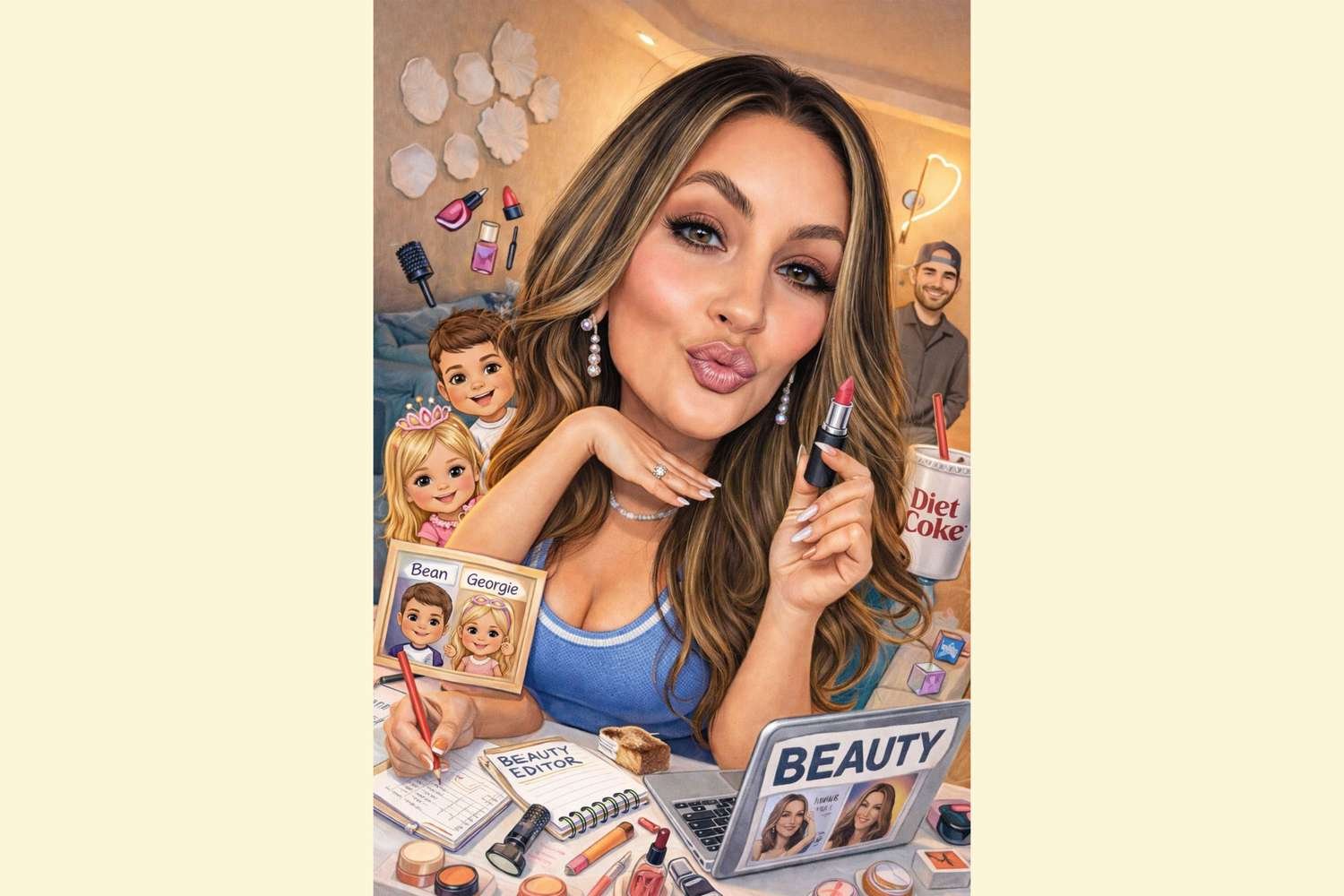
If your feed is suddenly filled with AI-generated, cartoonish caricatures, you’re not alone. This playful social media trend is everywhere right now. They may look a little silly at first, but with everything going on in the world, a moment of fun feels more than justified. After trying it myself (that’s me in the pic!), I’m fully on board (dare I say it’s even cuter than last year’s AI-generated action figure trend). Here’s exactly how to make one of your own.
The Best Way to Make an AI Caricature of Yourself
Follow these steps to create your own caricature to share on social—or just send to friends and family.
Start with the right photo (this is the most important step)
Choosing the right photo makes all the difference in creating a caricature that actually looks like you. Find a clear, front-facing photo with a neutral expression or slight smile that was taken in natural (window, not overhead) light. Things to avoid: sunglasses, heavy shadows, group photos, extreme angles, filters, and low-res images. Hot tip: make sure your hair is visible because AI loves hair details.
Upload to ChatGPT
This trend is mostly being driven by ChatGPT’s image generation and a few similar tools, but ChatGPT creates the most consistent caricature while still giving flattering results. Upload your photo, then use a very specific prompt like this: “Create a stylized caricature of this person based on everything you know about me. Keep the facial features recognizable but slightly exaggerated in a playful, flattering way. Smooth lines, bright colors, clean background. Cartoon-style illustration, not photorealistic. Friendly, modern, editorial illustration vibe.”
Adjust the exaggeration (this is the secret step)
Most people stop after one try, but the best results usually take two or three prompt tweaks. I landed on the second rendition. If the first result is too realistic, try: “Make it more cartoonish and illustrative.” If it looks too extreme, say: “Reduce exaggeration slightly; keep proportions natural.” And if it’s way off and doesn’t really look like you, try: “Make the eyes and face shape closer to the original photo.”
After my first attempt, I asked Chat to add a few personal details, including my kids’ names, my husband’s cookie business logo, and a fountain Diet Coke. I had trouble uploading multiple photos, but Chat suggested simply describing what I wanted instead. So rather than adding photos of my kids, I shared their names, ages, hair colors, and general vibes, and that did the trick. Then we were golden. (Remember: this is supposed to be fun.)
Am I posting it to my grid? Probably not—at least not yet. But Instagram Stories? Absolutely. And my family group chat? Immediately.