
You May Also Like

Ephemeral preview environments are short-lived, isolated deployments of your application that are automatically spun up on a pull request or branch push and torn down when the PR is merged or closed. This allows you to safely test your vibe-coded applications on production-like infrastructure before they ever touch production.
This article covers how to use ephemeral preview environments to test your vibe-coded apps on production-like infrastructure before they reach production.
- Ephemeral preview environments are short-lived, isolated deployments tied to a pull request. They are provisioned automatically when the PR is opened and torn down when it is merged or closed, so they never run longer than needed.
- Vibe-coded apps have specific characteristics that make preview environments more pressing than for standard development workflows: AI-generated code can behave differently on real infrastructure than in the tool’s own environment, iteration is fast so a shared staging environment becomes a bottleneck quickly, and non-technical reviewers need a shareable URL they can open without any local setup.
- Full-stack preview environments run more than just the frontend service. On Northflank, a single preview can include databases, background jobs, message queues, and microservices, each with its own isolated instance. Databases can be provisioned fresh or forked from a snapshot of an existing development database if needed.
Northflank spins up ephemeral, full-stack preview environments, including databases, microservices, and jobs, on every pull request, making it a practical option for testing vibe-coded apps on production-like infrastructure before merging. Environments are triggered by Git PRs, configured via a reusable preview environment template in your pipeline, and torn down automatically when the PR is merged or closed. No manual setup required per PR.
An ephemeral preview environment is a short-lived, isolated deployment of your application created when a pull request is opened and destroyed when that PR is merged or closed. Each environment is fresh, scoped to one branch, and accessible via a shareable HTTPS URL.
The contrast with shared staging is worth spelling out. In a shared staging setup, multiple developers deploy different features to the same environment at the same time. When something breaks it is often unclear whether the cause is your change, someone else’s deployment, or accumulated state that has diverged from production over time.
Teams end up queuing to deploy and test, which slows the feedback loop. Ephemeral environments address this by giving each PR its own isolated space that mirrors production, so changes can be reviewed in parallel with no cross-contamination.
For a broader look at the different types of ephemeral environments and how their lifecycles work, see What are ephemeral environments? How they work and when to use them.
Vibe-coded apps have specific characteristics that make preview environments more than a nice-to-have.
- AI-generated code can behave differently in production: packages pulled in by tools like Cursor or Lovable may be pinned to versions that work in the tool’s own environment but produce different behaviour on a standard Linux container. These issues are difficult to spot locally and tend to surface only when your app runs on production infrastructure.
- Your app is iterated quickly: AI-assisted development means many small PRs opened in short succession. A shared staging environment becomes a bottleneck almost immediately under that pattern. Parallel preview environments remove the queue.
- Non-technical reviewers need a real URL: founders, product managers, and designers cannot run your app locally. A shareable HTTPS URL that anyone can open in a browser, without any setup, is the practical requirement for getting that feedback quickly.
See also: How to deploy vibe-coded apps to production and Best deployment platforms for vibe coders.
For teams shipping vibe-coded apps to production, Northflank provides full-stack preview environments triggered automatically on every pull request, including databases, microservices, and jobs, with teardown on merge and configurable cost controls. Get started (self-serve) or book a demo if you want to walk through your specific setup with the team.
When you are working on a vibe-coded app, the preview environment workflow fits directly into how you already push code. Once your repository is connected to your preview environment platform (like Northflank), here is what a typical workflow looks like from prompt to teardown:
- You write a prompt and your AI tool generates the code
- You push the changes to GitHub
- You open a pull request on GitHub
- Northflank detects the PR and automatically provisions a full-stack preview environment, including your frontend, backend, and database, each as an isolated instance
- A live HTTPS URL is generated on Northflank that you can share with your team, no setup required on their end
- Engineers, designers, product managers, or founders can open the URL and test against real infrastructure
- You merge or close the PR on GitHub and Northflank tears down the environment and its resources automatically, keeping your infrastructure clean and costs in check
This workflow is designed to require no manual environment management on your end.
A common misconception is that preview environments only deploy the frontend. Not all deployment platforms support full-stack previews, but Northflank does. On Northflank, a single preview can include:
- Frontend, backend, and API services
- Database addons such as PostgreSQL, MySQL, MongoDB, and Redis, provisioned as fresh isolated instances or forked from a snapshot of an existing development database
- Background jobs, cron tasks, and message queues like RabbitMQ
- Secret groups scoped to that preview environment’s tag, so credentials are injected at runtime and are not shared between environments
This is worth paying attention to for vibe-coded apps in particular because AI tools increasingly generate full-stack applications with a database layer from the first prompt. Testing only the frontend layer in a preview can produce misleading results if the backend or database behaves differently in isolation.
For more on why full-stack coverage is relevant at the infrastructure level, see The what and why of ephemeral preview environments on Kubernetes and the Northflank preview environments product page.
Northflank is a cloud platform that deploys containerised applications with managed databases, secrets management, CI/CD pipelines, and preview environments built into the same control plane. The free tier includes two services, one database, and two cron jobs.
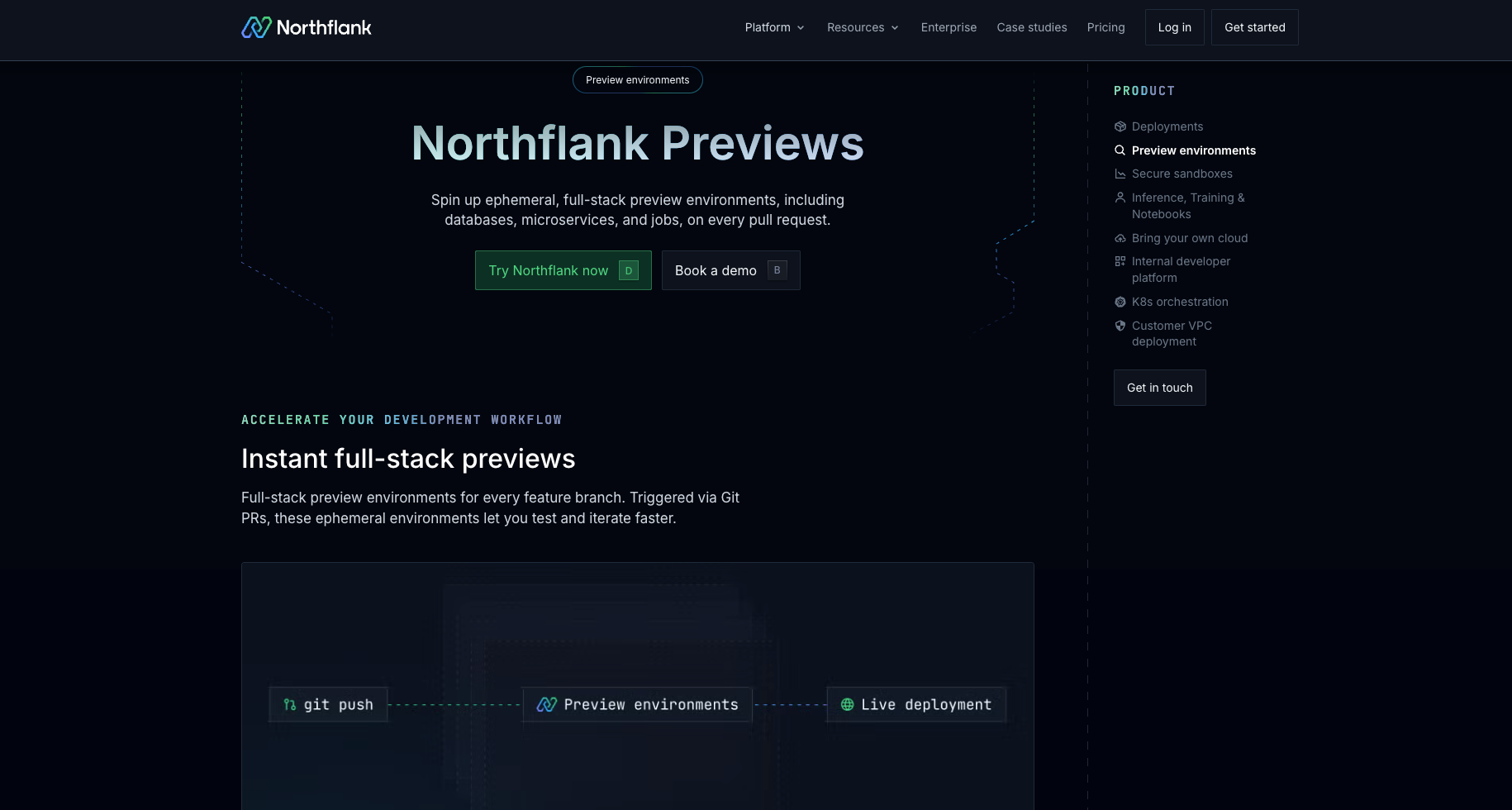
Preview environments on Northflank are configured using a preview environment template inside a pipeline in your project. The template defines:
- The Git trigger that watches your repository for pull request events
- The naming convention for each environment and its resources, such as pull request ID, which produces names like
pr-1234 - The nodes that make up the environment: a build on trigger node, a deployment service, a database addon, and a secret group for credentials
When a pull request is opened, Northflank runs the template automatically and provisions a fresh environment. When the PR is merged or closed, the environment is torn down.
A few things worth knowing about how the template handles configuration:
- Secrets should not be hardcoded in the template. Pass them as arguments and set them as overrides in the template settings so they are stored securely and only injected at runtime
- Northflank supports dynamic subdomain generation per preview using wildcard routing, giving each environment its own URL under your configured domain, without requiring a certificate to be generated per preview
For the full setup walkthrough, see the Set up a preview environment documentation and the How to auto-create preview environments on every PR guide.
Get started with Northflank preview environments
Get started (self-serve), or book a demo if you have specific infrastructure requirements.
A reasonable concern when spinning up a full environment per PR is cost. Northflank provides several mechanisms to keep this in check.
Automatic teardown destroys the environment when the PR is merged or closed, so it does not run longer than necessary.
A preview environment duration setting caps how long any environment runs regardless of PR status, and can be configured to reset when a new commit is pushed to the branch.
For projects deployed to your own cloud account via BYOC, active hours configuration limits automatic environment creation to the days and hours you specify, such as weekday business hours, so environments are not being provisioned outside working hours.
Northflank also supports policies to automatically shut down idle preview environments, so forgotten environments do not accumulate and run up costs unnoticed.
Each PR gets its own isolated environment, so multiple features can be reviewed in parallel without blocking each other. Automated tests can be pointed at the preview URL inside the CI pipeline, running against real infrastructure rather than a mocked environment. Non-technical stakeholders such as product managers or founders can review via a shareable URL without any engineering setup on their side. See also: Top AI tools for CI/CD pipeline automation and How to build an internal vibe coding platform.
The most common trigger is opening a pull request, configured in the preview environment template as a Git pull request trigger scoped to a specific repository. Commits pushed to a branch with an open PR update the existing preview environment for that branch rather than creating a new one. Manual and webhook triggers are also available.
Yes. On Northflank, a preview environment can include database addons including PostgreSQL, MySQL, MongoDB, Redis, MinIO, and RabbitMQ, each provisioned as its own isolated instance. You can also fork an existing development database from a snapshot so the preview starts with realistic data rather than an empty schema.
How is a Northflank preview environment different from previewing your app inside a vibe coding tool?
Vibe coding tools run your app in their own managed environment, optimised for their platform. A Northflank preview environment deploys your code from GitHub on your own infrastructure with your own services and configuration, in an environment that reflects how your app runs in production.
On Northflank, the preview environment duration setting tears down environments after a configured number of hours regardless of PR status. For projects deployed to your own cloud account via BYOC, active hours configuration limits automatic environment creation to the days and hours you specify, such as weekday business hours only.
